Swiss German for to do
From deadline to follow-up in one tap.
Every deadline.
Under control.
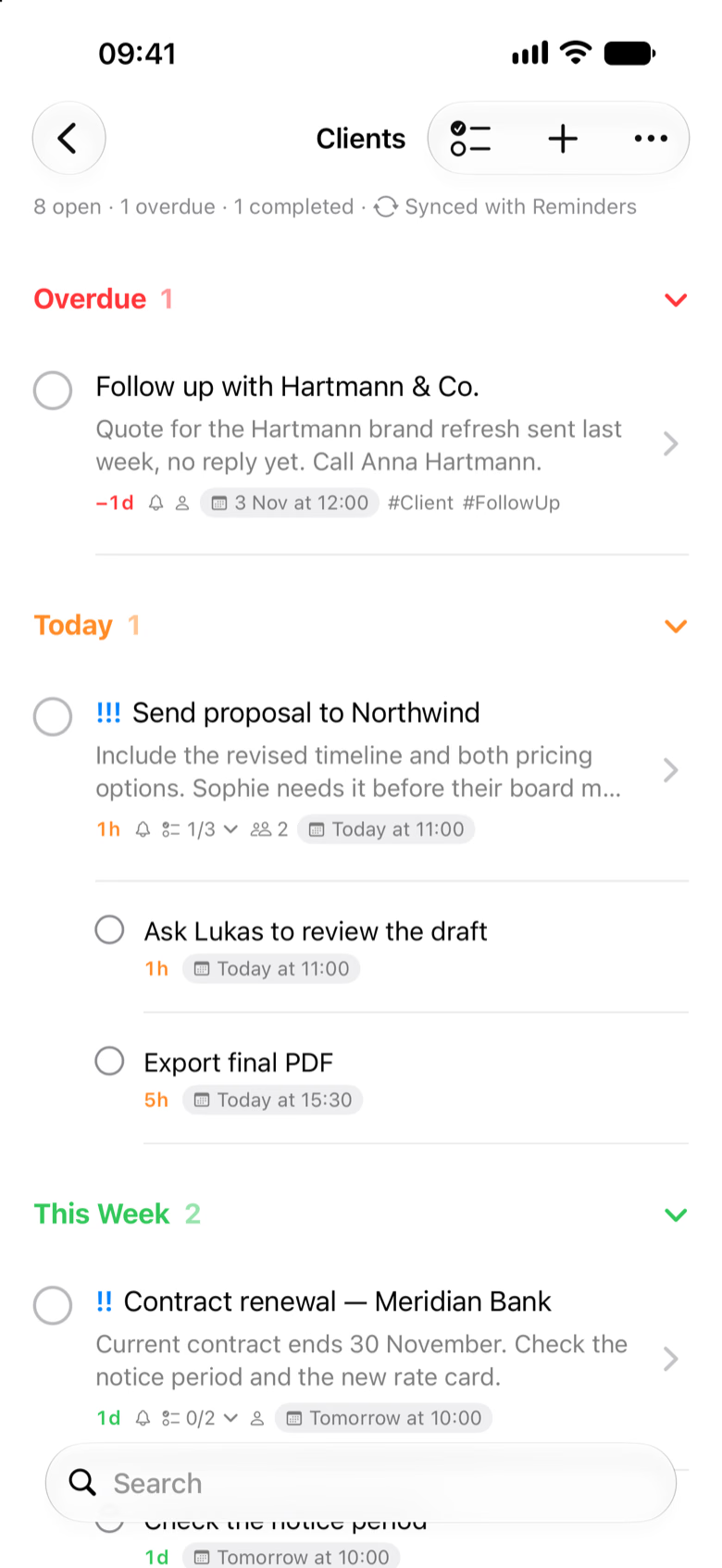
Tue turns your Reminders into the easiest follow-up tool you'll ever use. Every task shows who it involves, what was said about it and how much time is left.


Free to use, with no time limit. Try email and Apple Intelligence 5 times a month for free. Tue Pro removes every limit for €5 a month or €49.99 a year, with 2 weeks free. One subscription for iPhone, iPad and Mac. Works with the Reminders and Contacts you already have, and reads Apple Mail (on Mac), Gmail or Outlook.
Deadlines, people and follow-up. One app.
A deadline in a list is just a date, quietly waiting for you to panic. The people live in Contacts. What was said lives somewhere in 4,000 emails. Tue puts it all in one place, and starts the clock.
-
Same Reminders. Now they work for you.
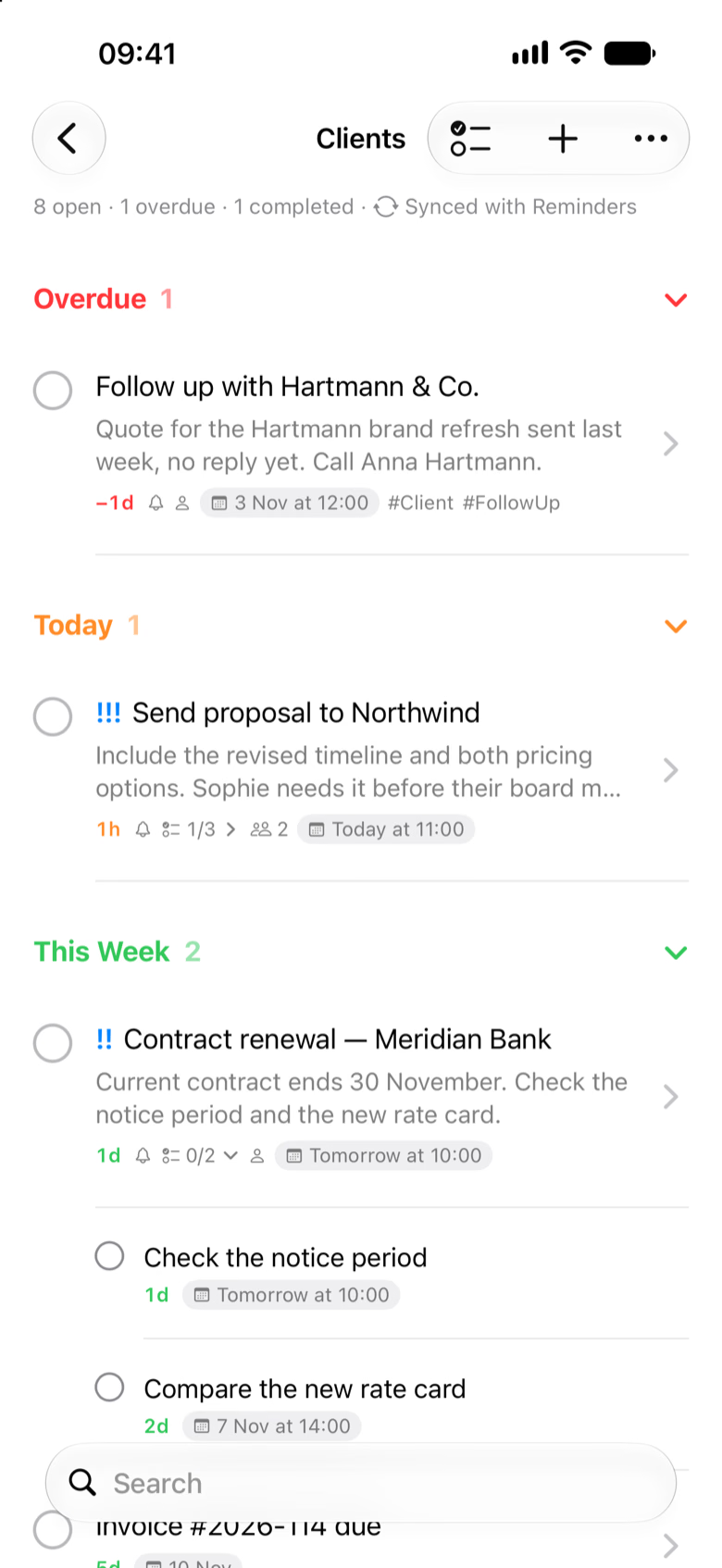
Tue works on the Apple Reminders you already have, sorted by what’s due first. No import, no new system. Tick something off in Tue and it’s done in Reminders, on Siri, on your Watch.
Two-way sync with Apple Reminders -
Who you need, one tap away.
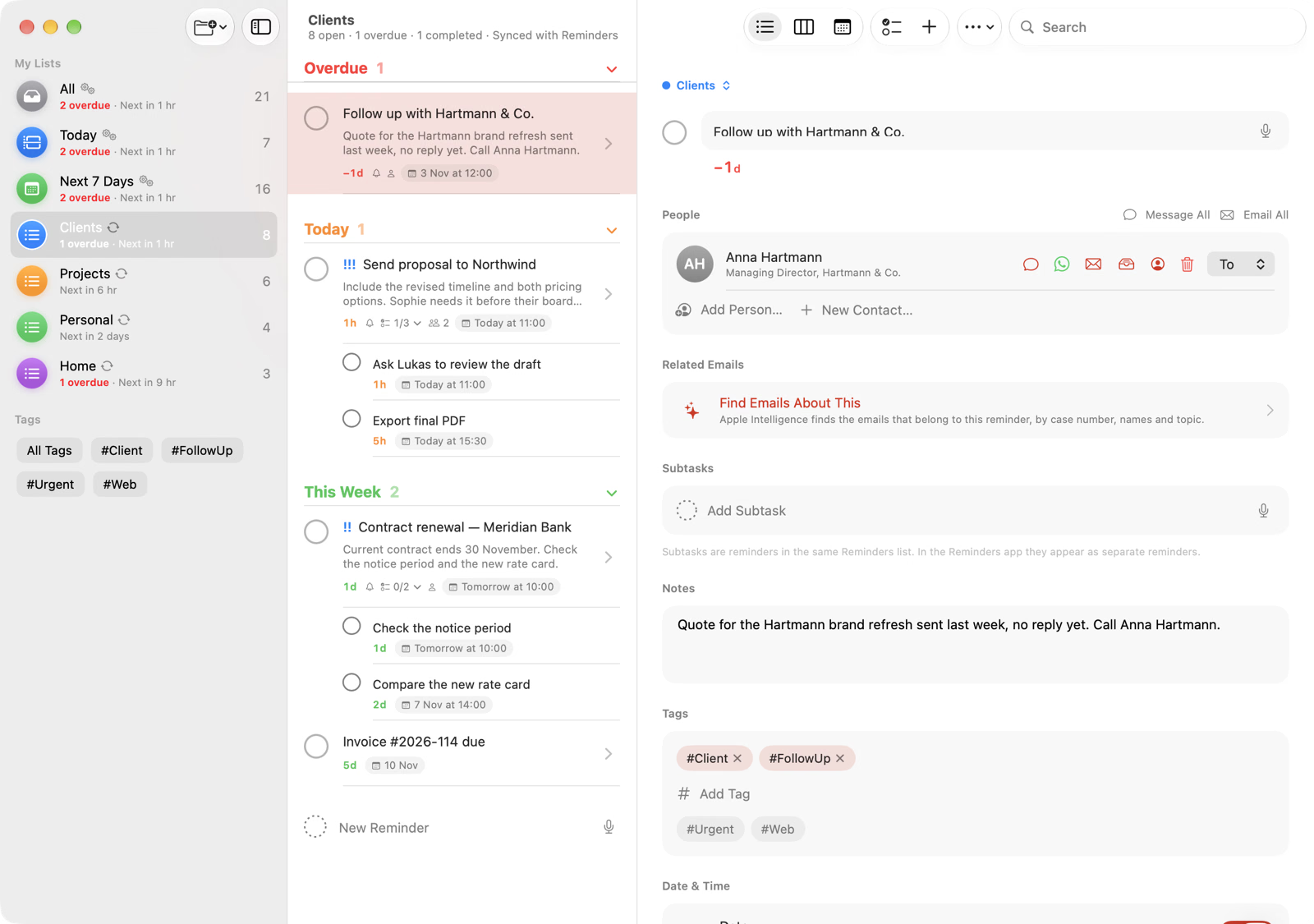
Link the people behind a task. Call, message, WhatsApp or email them from it. Change a number and it lands in Contacts.
Two-way sync with Apple Contacts -
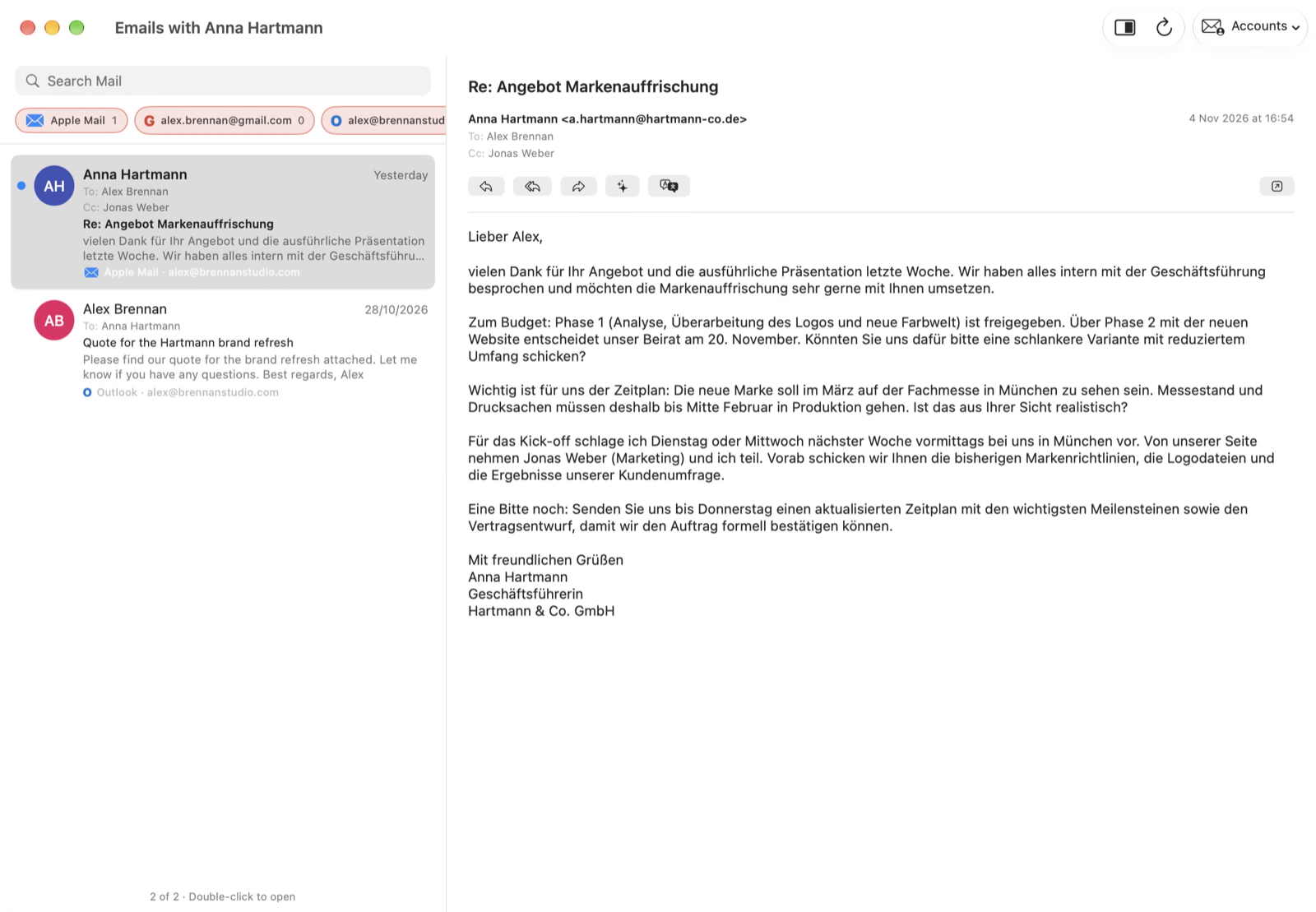
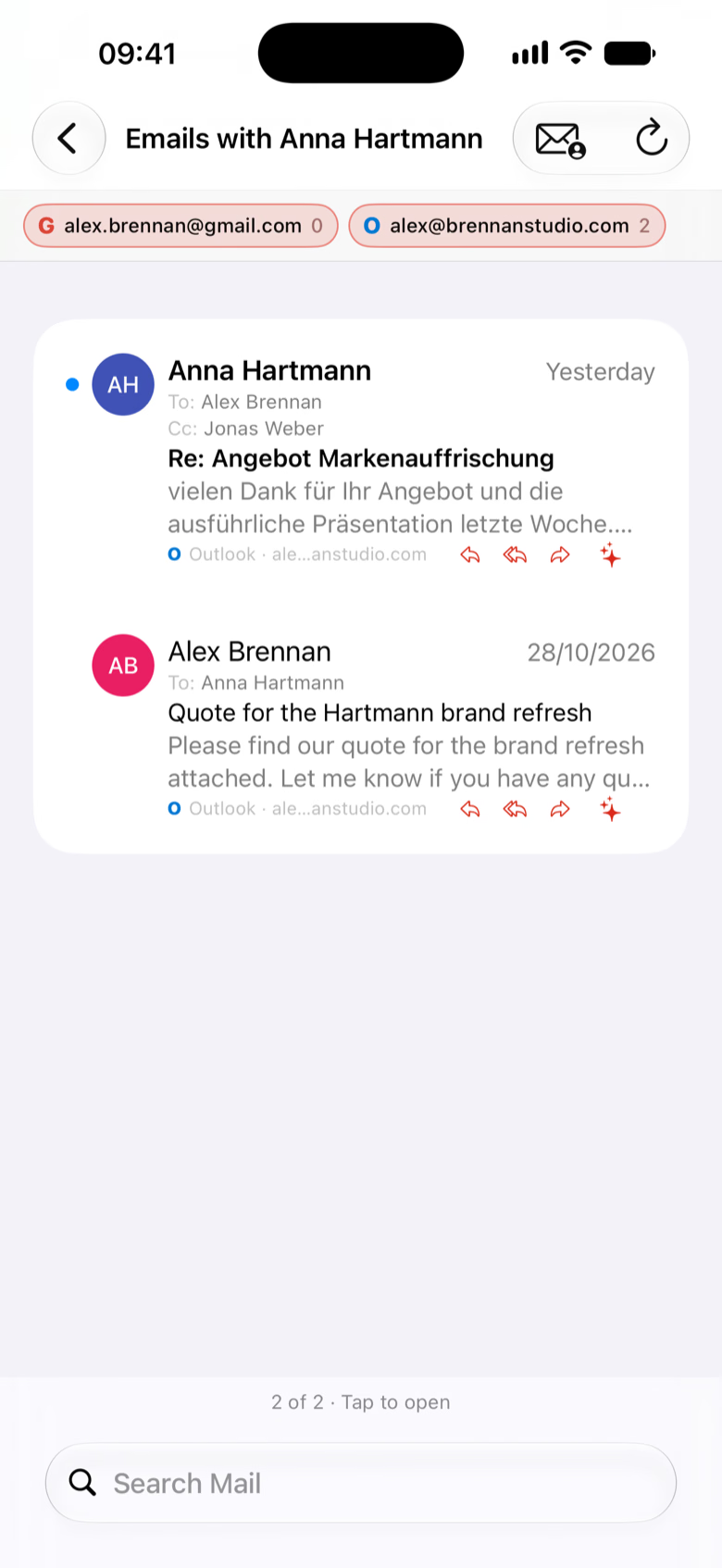
Every email with Sophie. None of the noise.
Open a person and see everything you exchanged, from Apple Mail (on Mac), Gmail or Outlook. Read only; nothing is copied or stored elsewhere.
Apple Mail (Mac) · Gmail · Outlook -
Read 40 emails in one tap.
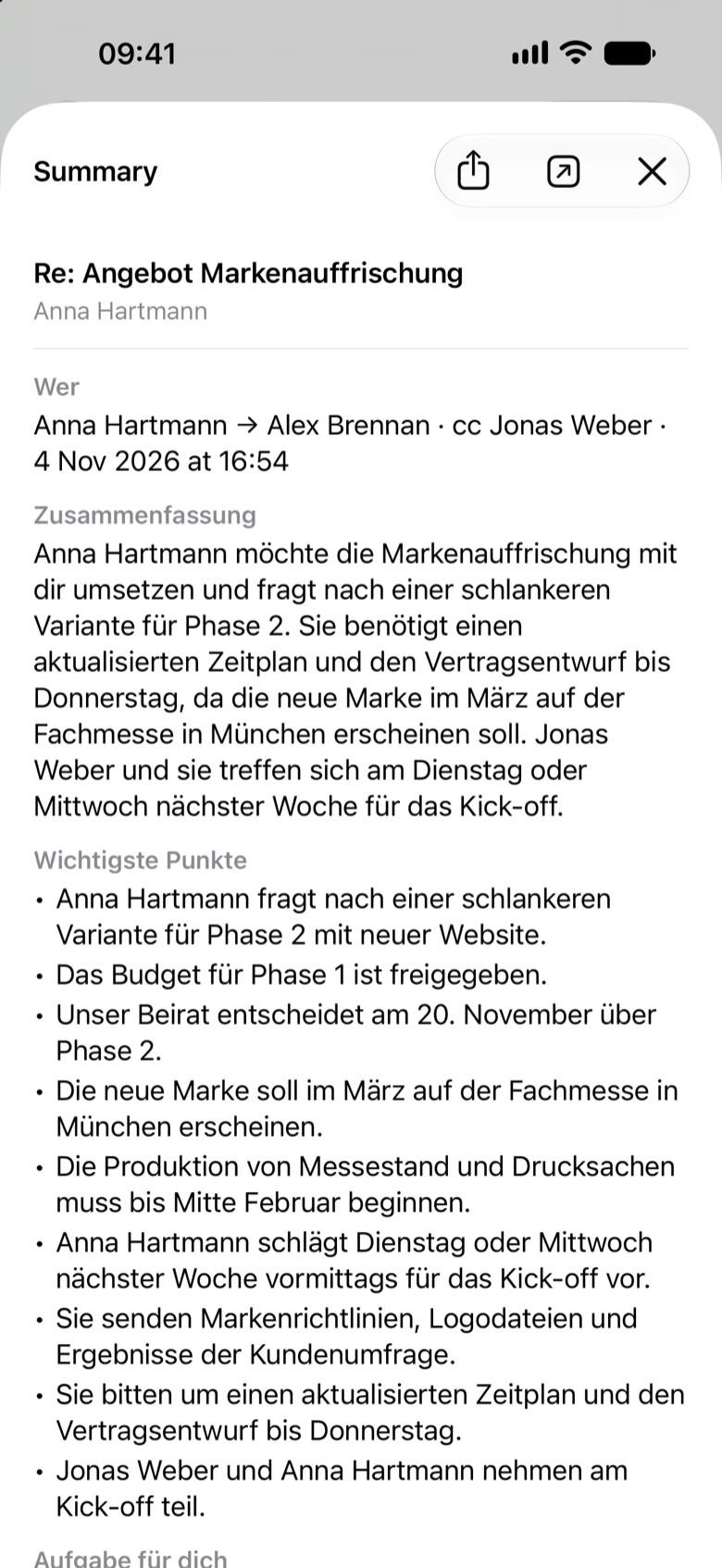
Summarize who wrote what, the key points and your to-dos. Let Find Emails About This dig up the whole case. On your device, with Apple Intelligence.
Summarise & analyse, on device -
Follow up the way you already do.
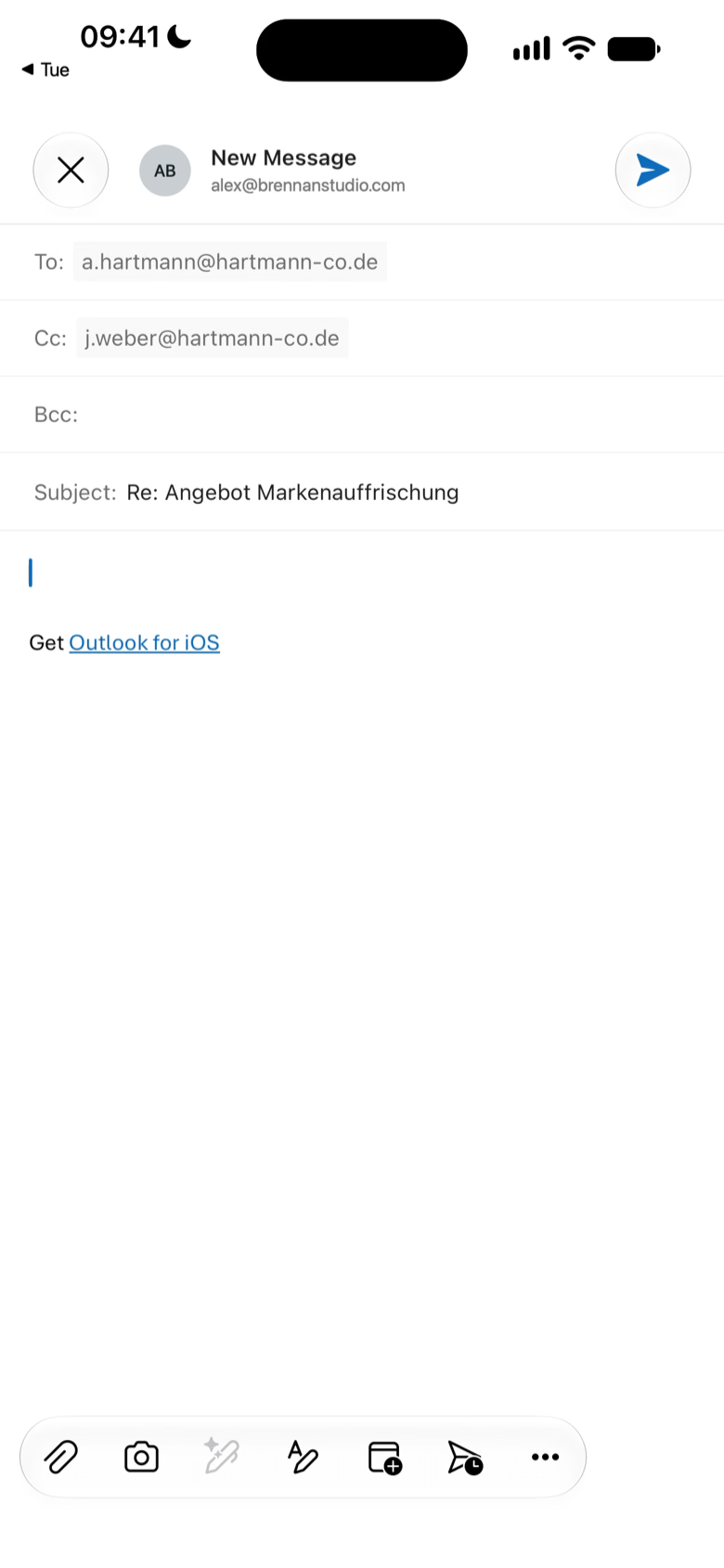
Reply opens a draft in your mail app (Apple Mail on Mac, Gmail or Outlook). Or message everyone in Messages, or one person on WhatsApp. You send. Tue never does.
Mail, Messages or WhatsApp
Organised the way you work.
Sync whole Reminders lists, or create your own Tue lists and place one reminder in as many of them as you need. A client task can live in Clients and in Projects at the same time.
Smart lists gather what matters right now: Today, Overdue, Next 7 Days, Scheduled, Priority and All. Or set your own rules by date, priority and which Reminders lists to include: one such list is free, as many as you like with Tue Pro.
Add tags to any reminder. Browse them in the sidebar, search by tag, or use a tag as a rule in your own smart list. Your tags sync through your own iCloud.
Subtasks that steer the deadline
Each subtask is a real reminder with its own date and time. Tue shows progress like 1/3, and the main task's deadline follows the next open subtask. Tick off a step and the countdown moves on: 10h becomes 15h.
Collapse the subtasks of a task when you just want the overview, expand them when you get to work. Tue remembers your choice per task, and Collapse All Subtasks tidies up the whole list at once.
- One reminder in as many lists as you like
- Smart lists, plus your own rules: one list free, more with Tue Pro
- Quick edit chips for date, time, alert, repeat, location and priority
Type it the way you’d say it.
Write a reminder the way you would say it and press Return. Tue picks out the date and time, the priority and the list, and keeps the rest as the title. One ! is low priority, !! medium and !!! high; # with a list name puts it straight in that list. While you type, Tue shows what it recognizes, and × keeps your text exactly as typed. You can turn Natural Language Input off in Settings.
Drop an email. Get a reminder.
On Mac Drag an email from Apple Mail or Outlook onto a list. Tue turns it into a reminder right away: the subject becomes the title, the sender the linked contact, and a link back to the email comes along. Drop several emails onto an existing reminder and Apple Intelligence suggests subtasks and people to add.
 Tue
Three ways to look at the same deadlines.
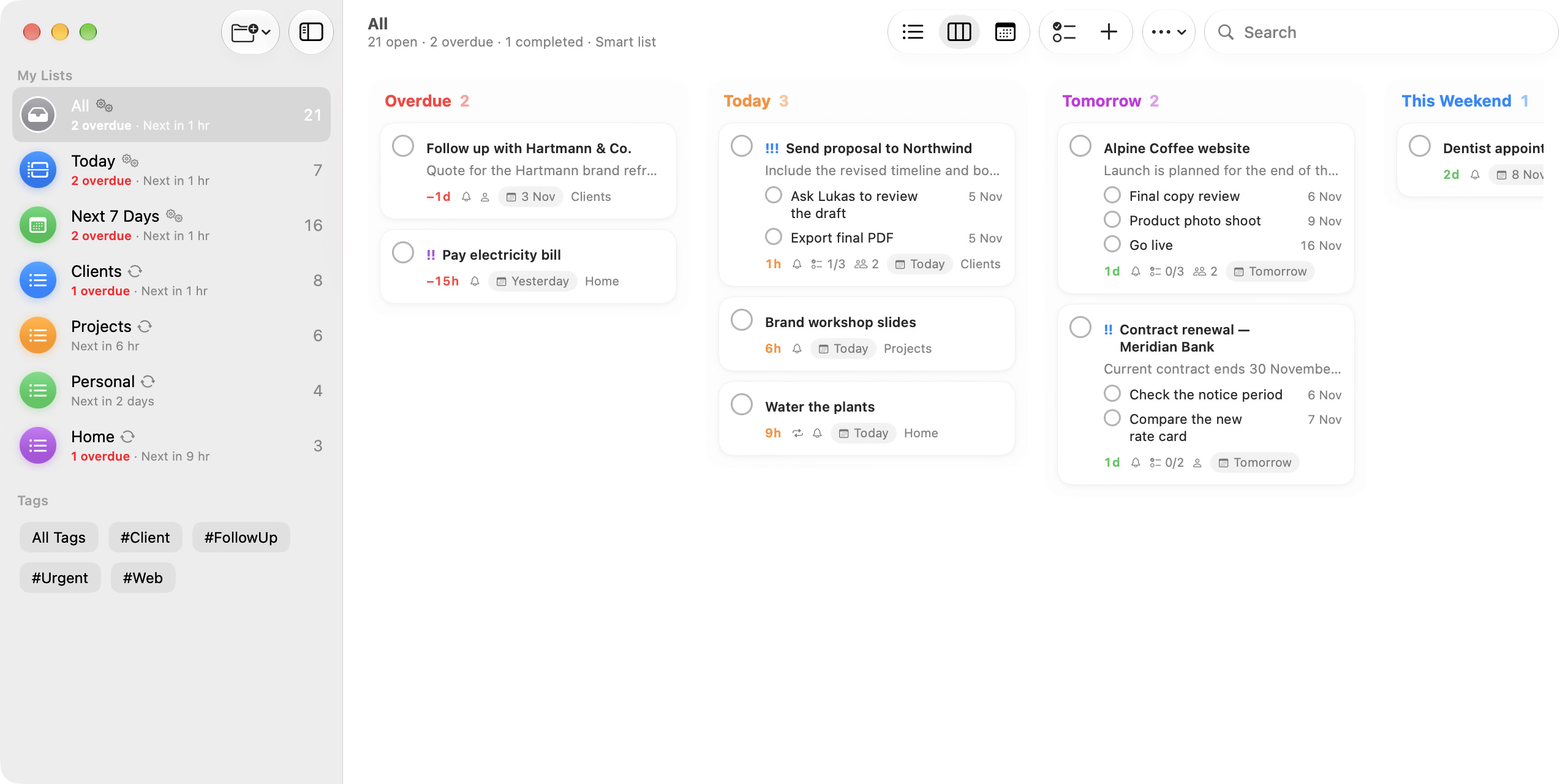
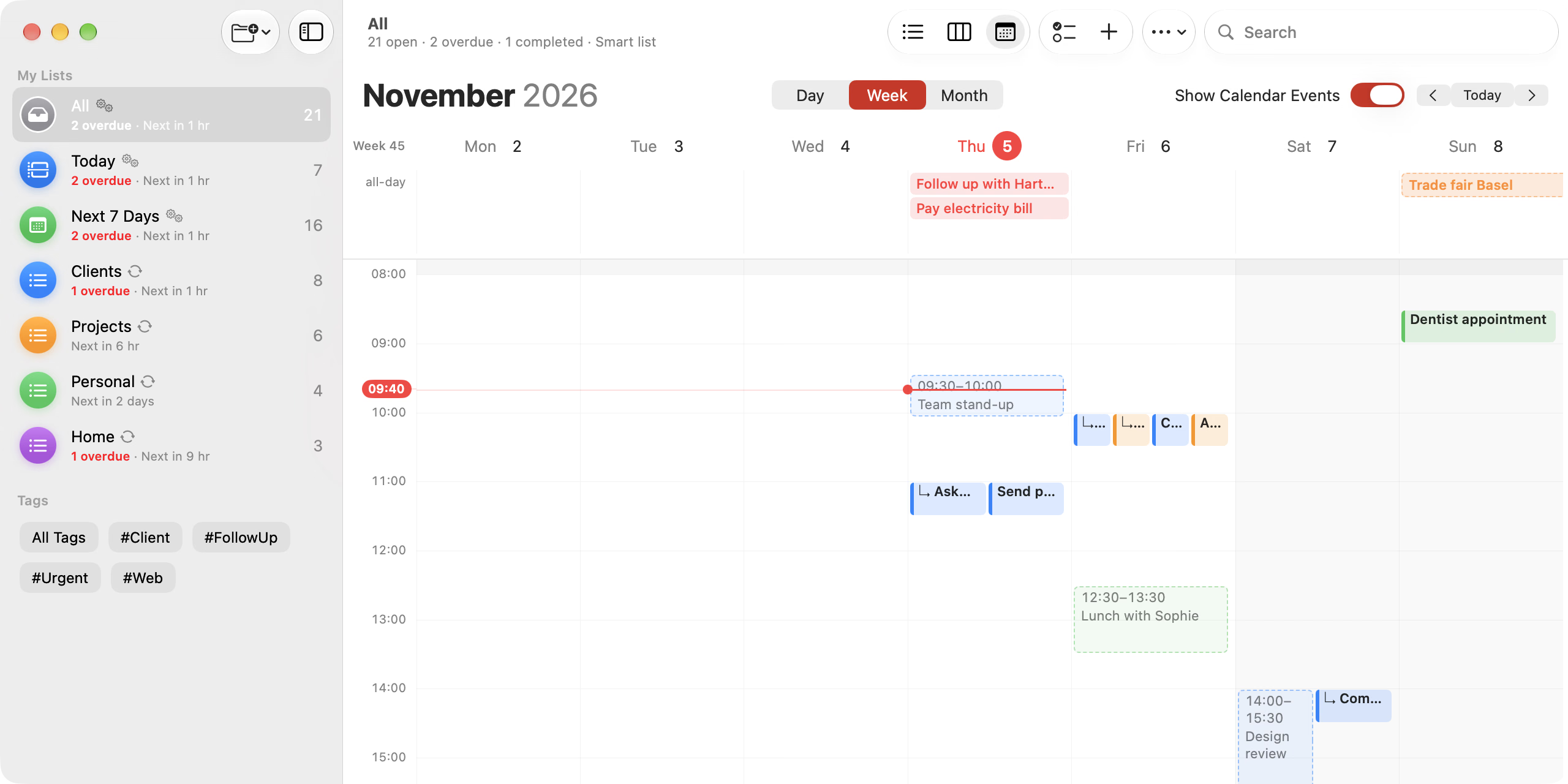
Every Tue list has a List, a Board and a Calendar view. The list for focus, the board for overview, the calendar for planning. Switch with one click; the reminders stay the same. With Tue Pro you also plan right in the calendar: drag, resize and create.
The list is where you work: every task sorted by urgency, with the time left next to it. Sort by deadline, date added or title, search across all your lists, and add a reminder right where you are.
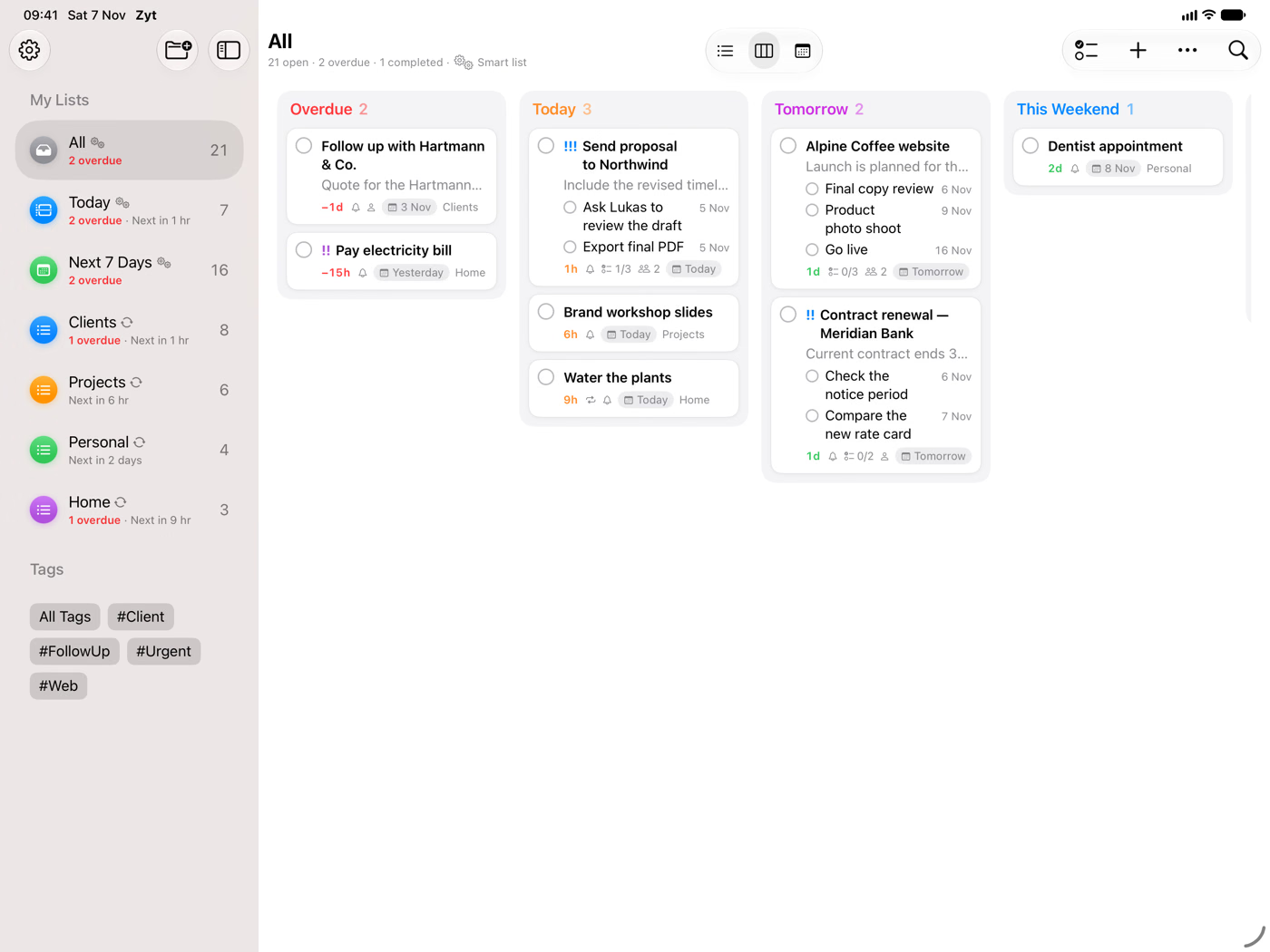
Columns for Overdue, Today, Tomorrow, This Week, This Weekend, Next Week, Later and No Deadline. Drag a card to another column and Tue sets the new deadline for you. Show one list, or all your lists on one board.
Day, week and month, the way Apple Calendar shows them. Drag a reminder to another day or time, or stretch it to set how long it takes. Your Apple Calendar appointments appear faintly alongside, so you see where your time really goes. On Mac, double-click a time to create an appointment or a reminder right there, just like in Apple Calendar.
Every task has a person behind it.
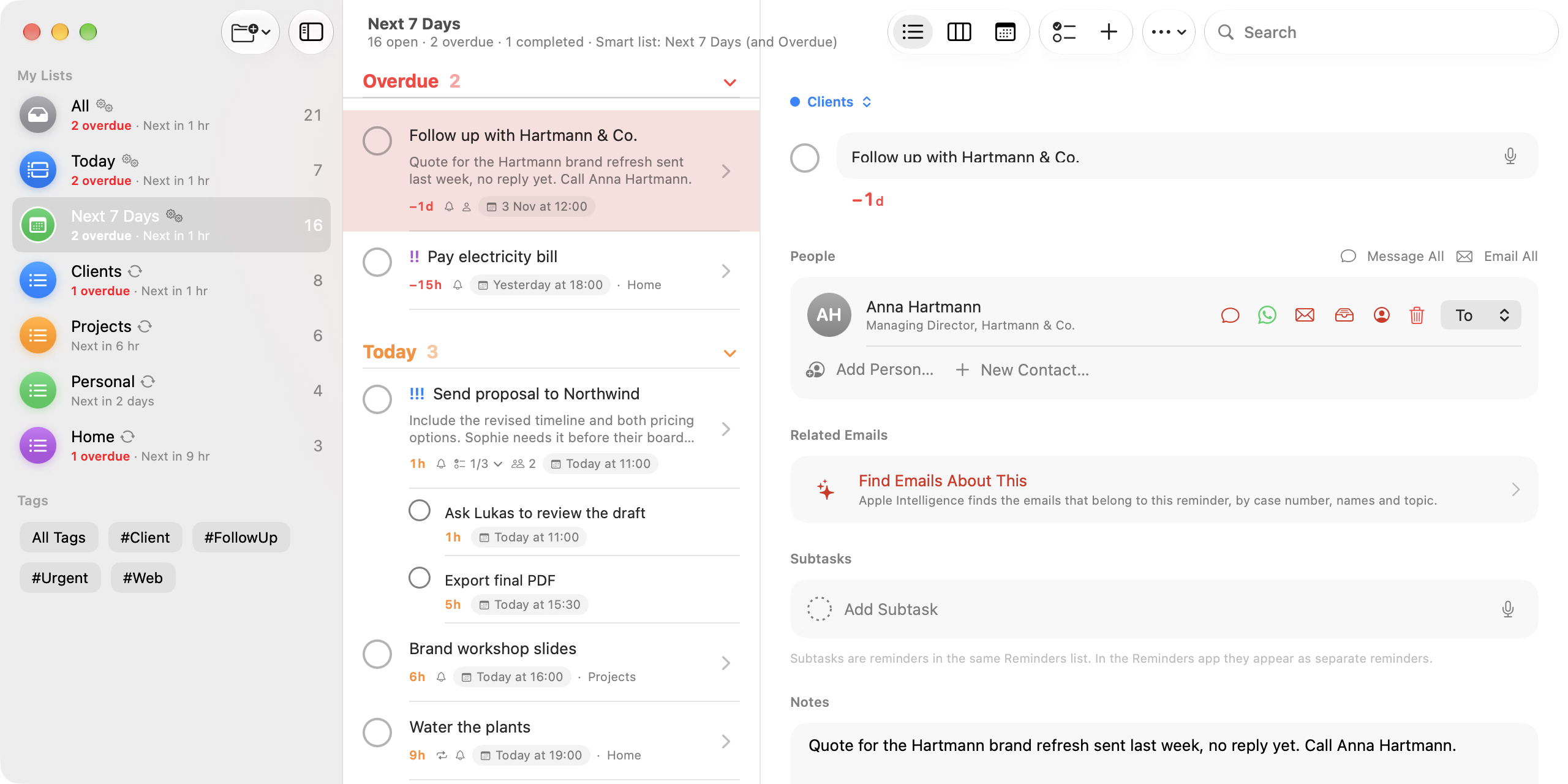
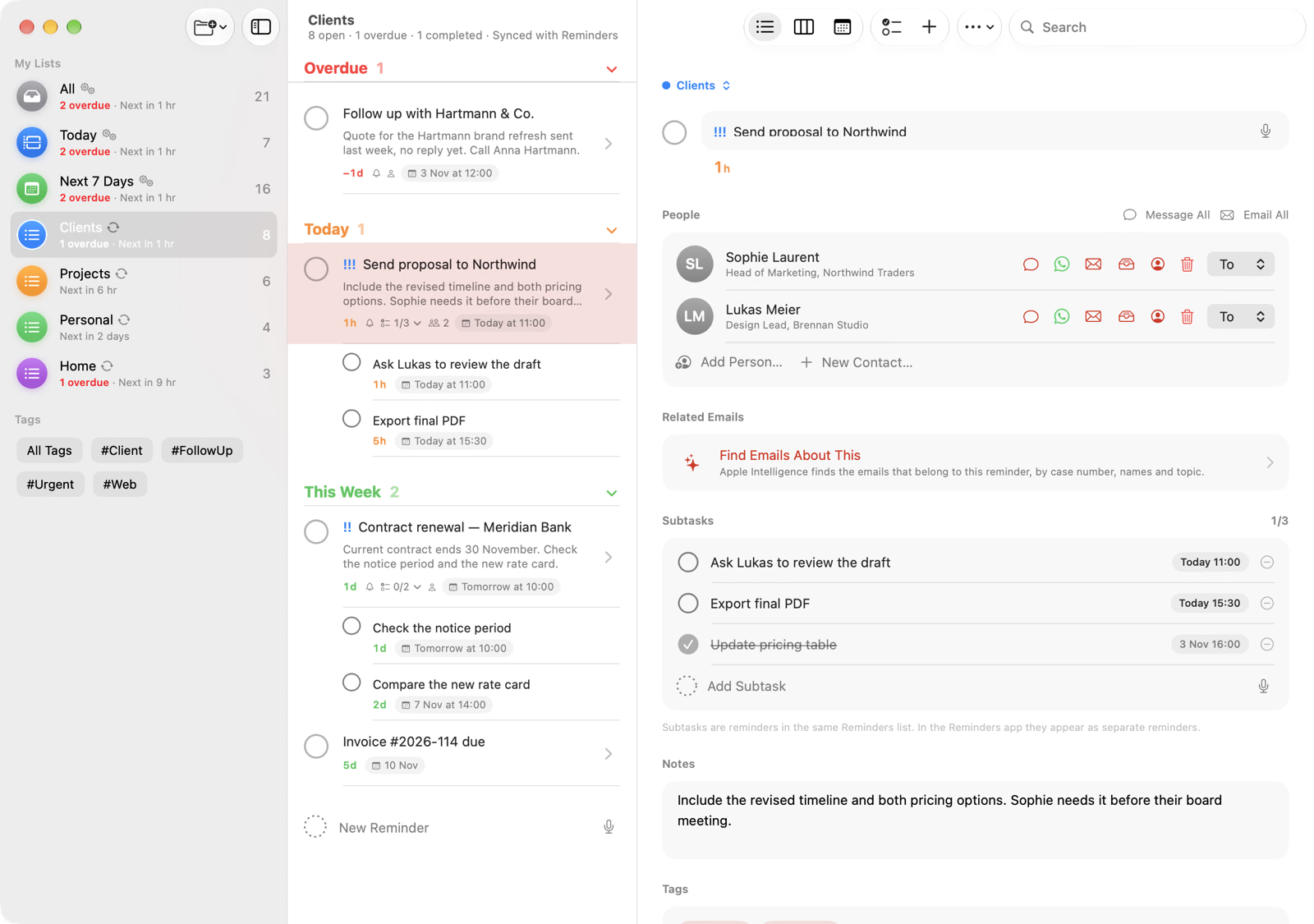
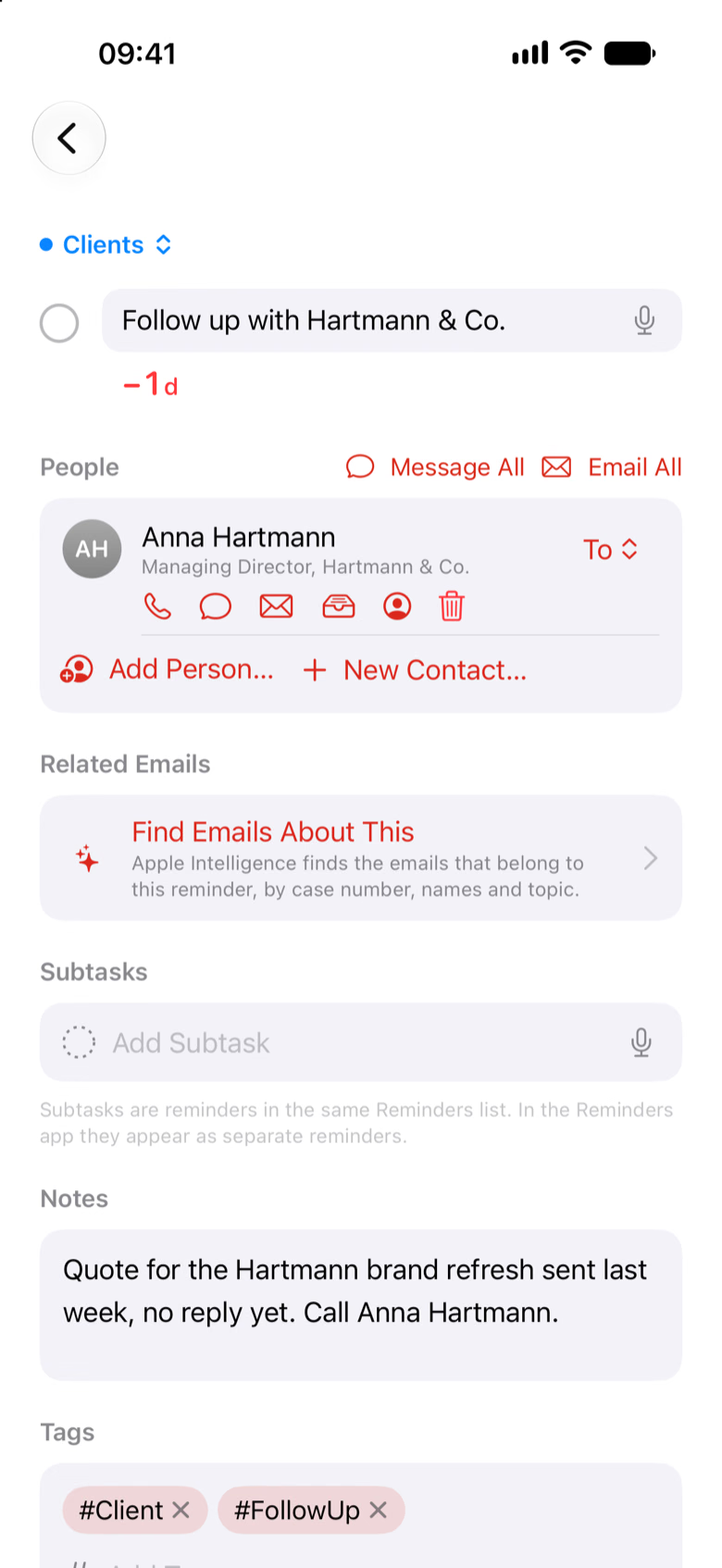
Link contacts from Apple Contacts to any reminder. From that moment, the person is one tap away: call, message, email, WhatsApp, see every email you exchanged, or open the contact card.
Need to reach everyone on a case? Message or email all linked people at once. When you update a phone number or address, the change goes straight into Contacts.
People from your email come along too. On Mac, drag an email onto a list and its sender is linked to the new reminder. Drop emails onto an existing reminder and Tue lists everyone in them: the senders are already ticked, and you choose which recipients to add. Anyone who isn’t in Contacts yet becomes a new contact.
- Link people from Apple Contacts to any reminder
- One tap to call, message, email or WhatsApp*
- Message or email everyone linked at once
- Edits land straight in Apple Contacts
- On Mac, drag a contact card from Contacts onto a reminder
*WhatsApp appears when it is installed and the contact has a phone number.
On Mac Drag contact cards from Contacts onto a reminder and Tue links those people right away. Drag an email from Mail onto it and Tue shows who is in the email: the sender is ticked, you choose the rest.
The whole conversation, next to the deadline.
Open a person on a task and see all your mail with them. Tue brings together Apple Mail (on Mac), Gmail and Outlook, with multiple accounts, and shows each message in the style of the app it came from.
Reply, Reply All or Forward opens a draft in your own mail app. Tue only reads your mail. It never sends, moves or changes anything.
Drop an email on a reminder and Tue adds it to that reminder’s mail history: newest first, each with a link straight back to the message. Tue then suggests a follow-up, so the next step doesn’t get lost.
- Apple Mail (Mac), Gmail and Outlook, multiple accounts
- From, To, Cc, read status, preview lines and search
- Separate, resizable mail window on Mac
- Read-only: Tue never sends or changes mail
Understands your mail. Respects your privacy.
Your mail stays private. Tue uses the on-device model of Apple Intelligence: summaries, translations and Find Emails About This are computed on your own iPhone, iPad or Mac. Nothing is sent to a server to be analysed, not to Apple and not to Tue, so confidential mail from clients and colleagues stays where it belongs. It even works without an internet connection.
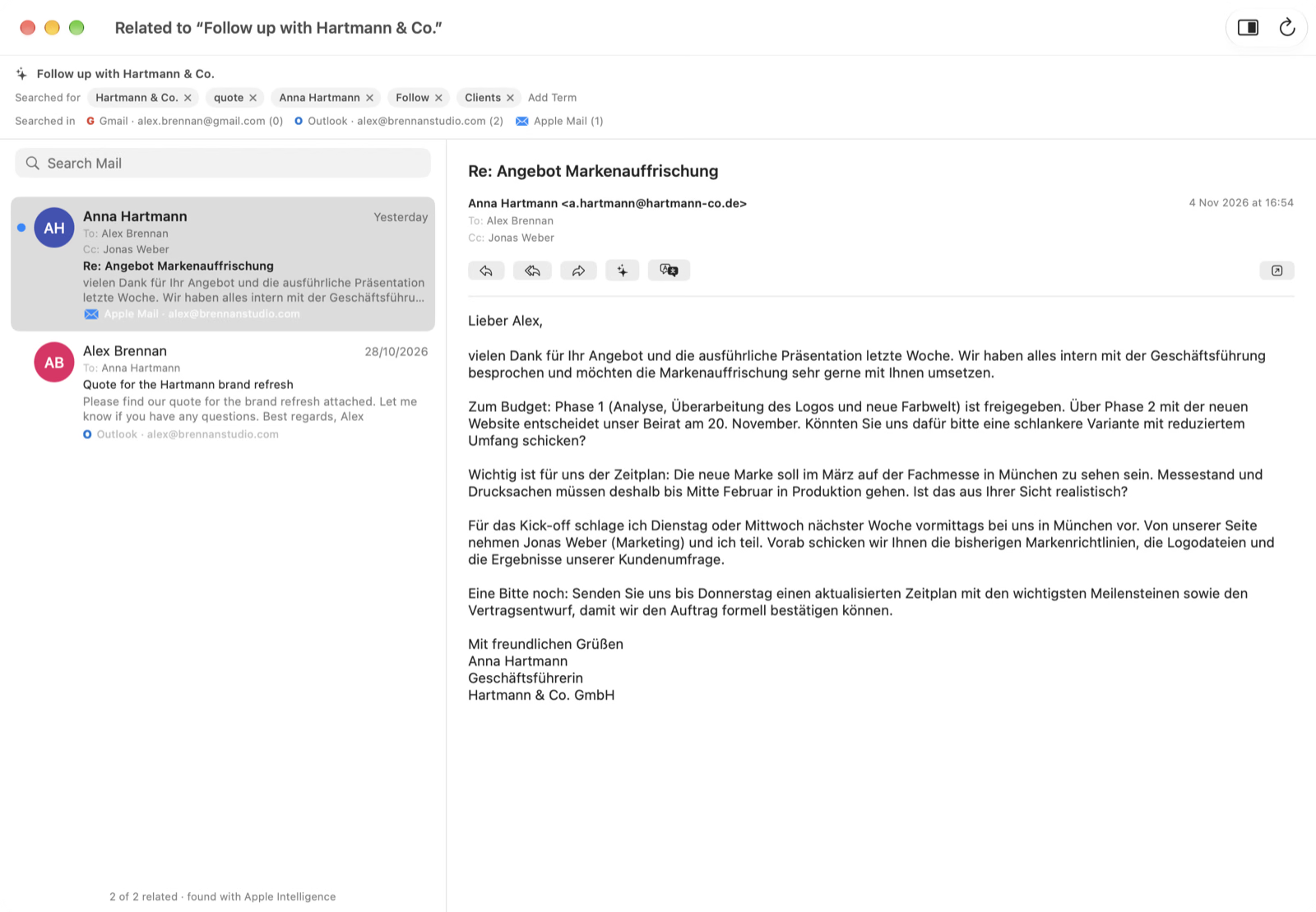
Find Emails About This
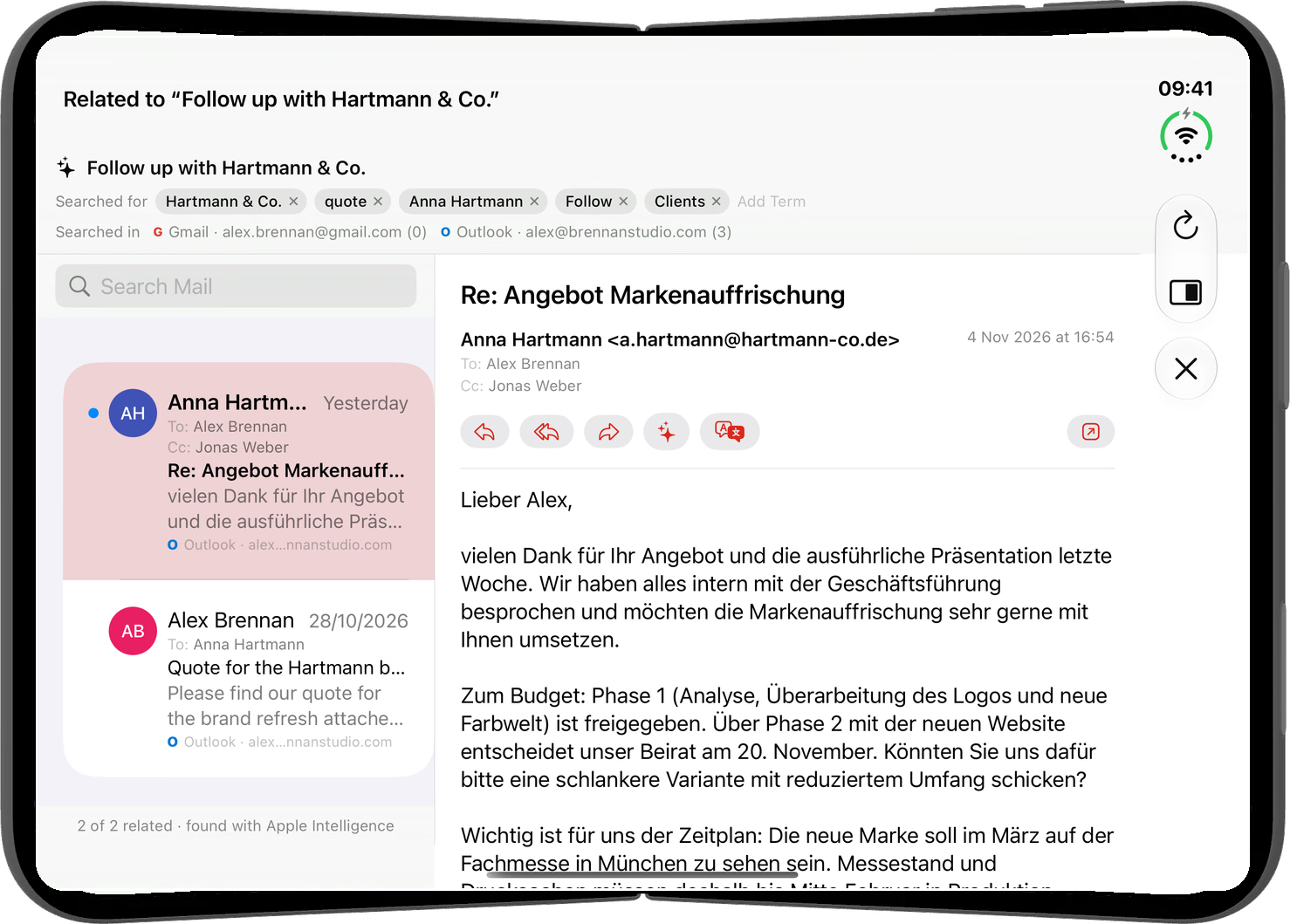
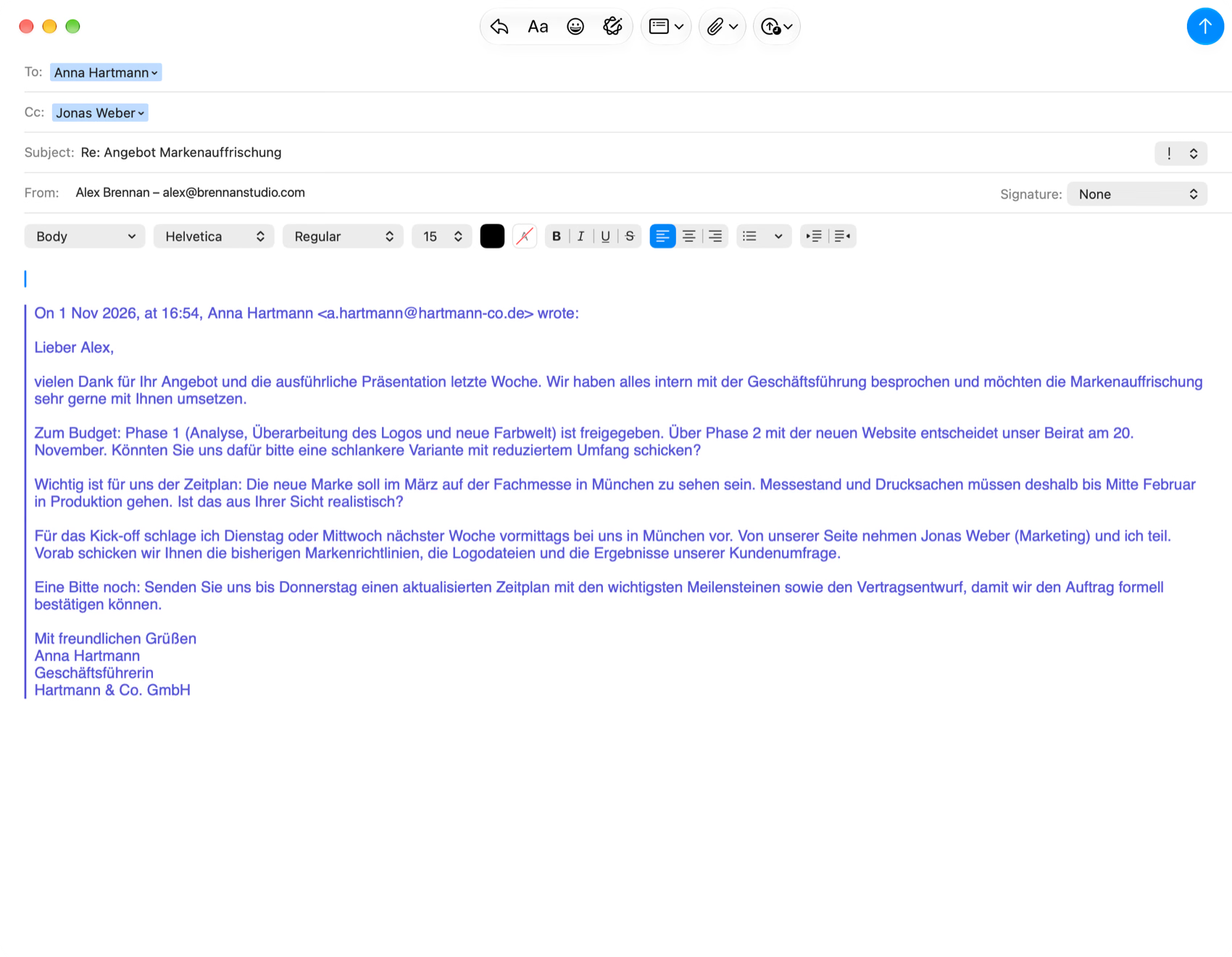
You know the feeling: the to-do says “Follow up with Hartmann”, but to actually do it you need the whole story, in a form you can take in quickly. What did they ask, what did you promise, who else is involved? One tap brings it back. Tue reads the reminder, works out what to look for (case numbers, project names, people, file codes like [D103411]) and shows only the mail that belongs to it. A mail in German? Translate it. A long thread? Get a summary of what was said. Then follow up right away. No more digging through 4,000 emails.
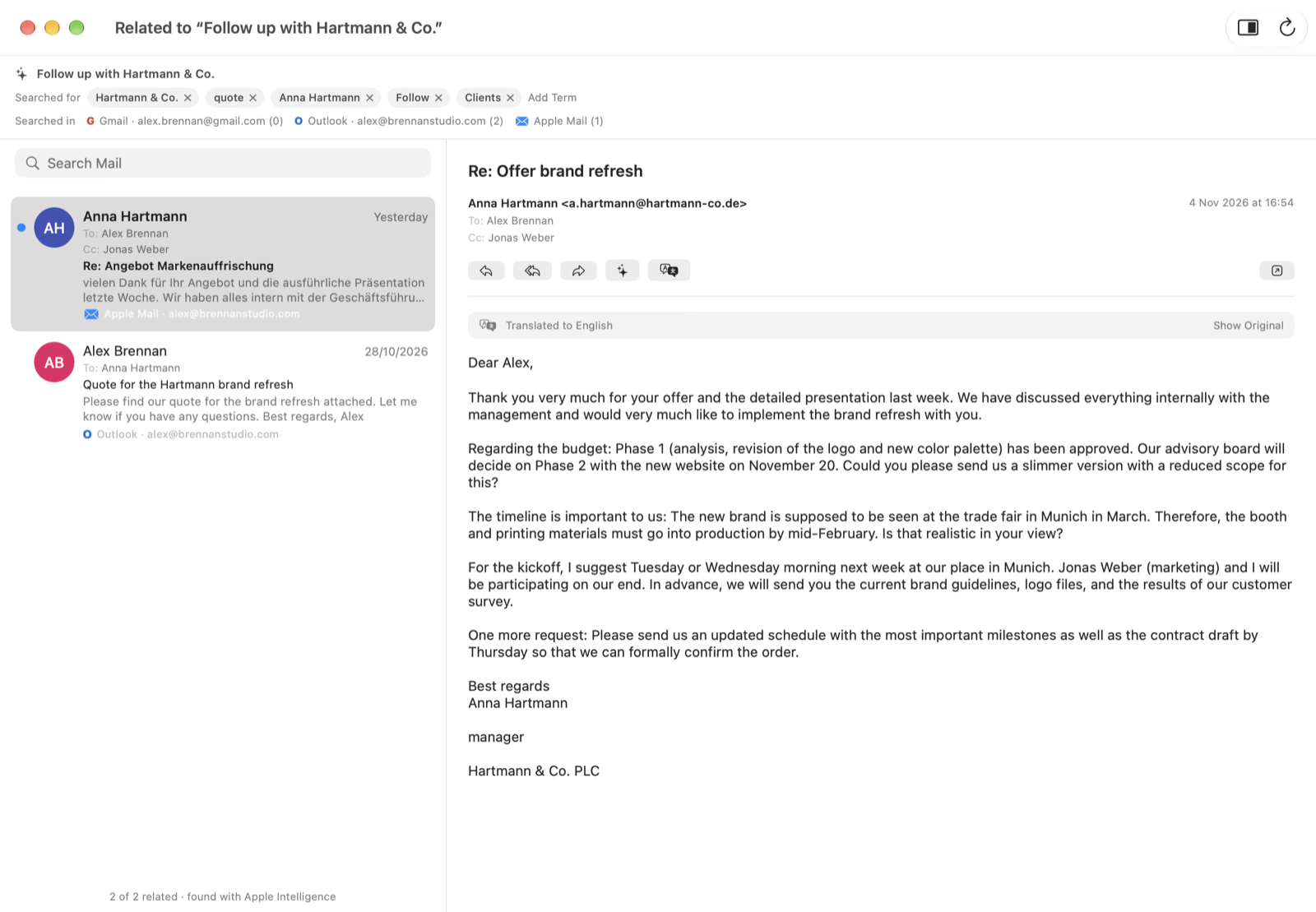
Translate
A German email? One tap and you read it in your own language, right inside Tue. No copying, no pasting into a translator, no switching apps. Apple translates on your device, so the mail never leaves it. Show Original brings back the original.
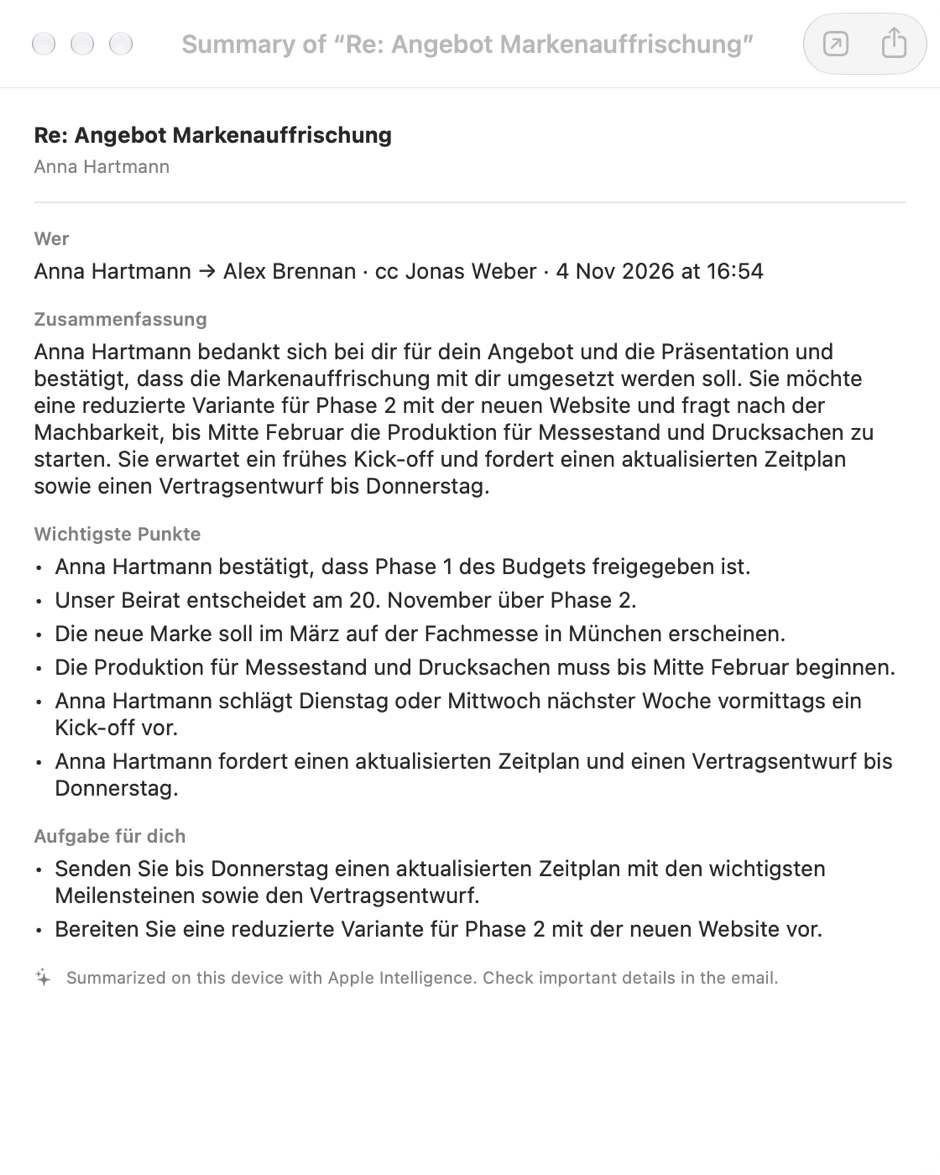
Summarize
A long thread, five minutes before your call? One tap and you know who wrote what to whom, the gist in a few lines, the key points and exactly what you need to do. In the language you are reading it in. Apple Intelligence does it on your device; nothing goes to a server.
Reply in your own mail app
Ready to follow up? Reply, Reply All or Forward opens a draft in the mail app you already use, with every recipient filled in and the original quoted. You write, you send, from your own account. Tue never sends a thing.
Requires a device that supports Apple Intelligence.
Time left, not just a date.
A date tells you when. Tue also shows how much time you have, right next to every deadline.
The labels are compact and easy to scan: 10h, 2d, 1w1d. Tue shows the largest unit first and never more than two. When a deadline passes, it keeps counting: −6h, −1d.
- The time left next to every deadline
- Compact labels:
42m,10h,2d,1w1d,−1d - Green this week, orange today, red overdue
- Choose your label style and precision in Settings
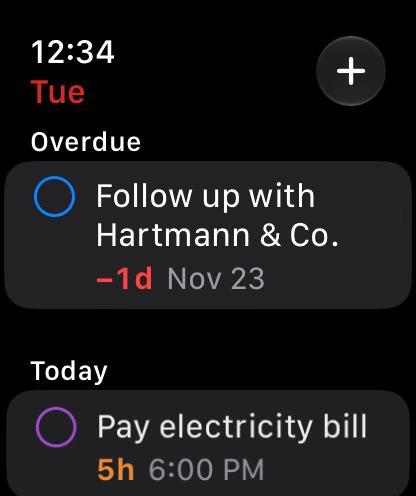
Also on Apple Watch: your next deadlines at a glance, checked off with a tap.
Native on iPhone, iPad and Mac.
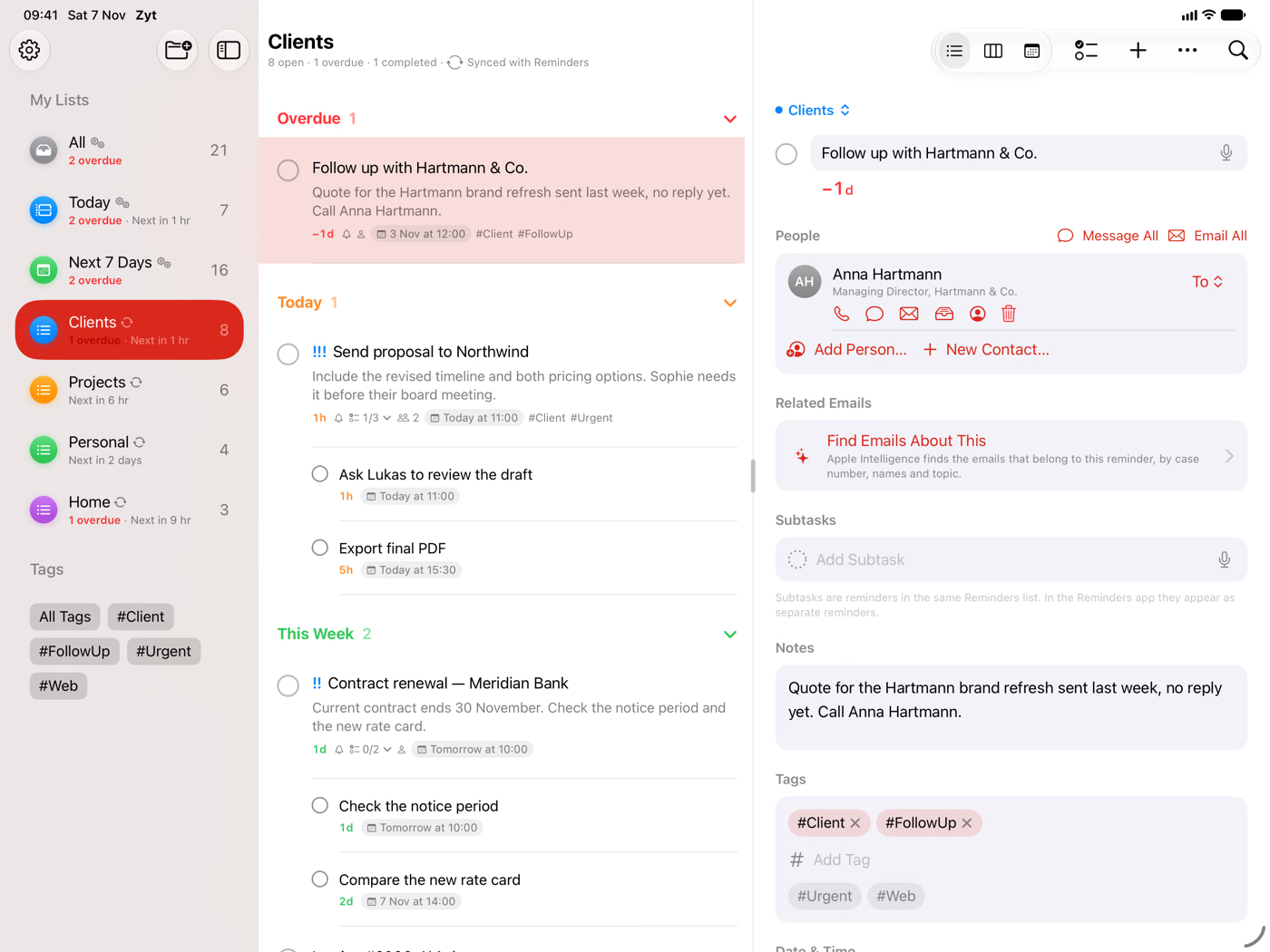
Tue is built in SwiftUI for each device. On iPhone, it's your follow-up list in your pocket. On iPad and Mac, list and detail sit side by side. On Mac, mail also gets its own window, so you can keep a case open while you work.
Because everything lives in Apple Reminders, your tasks are the same on every device through iCloud.
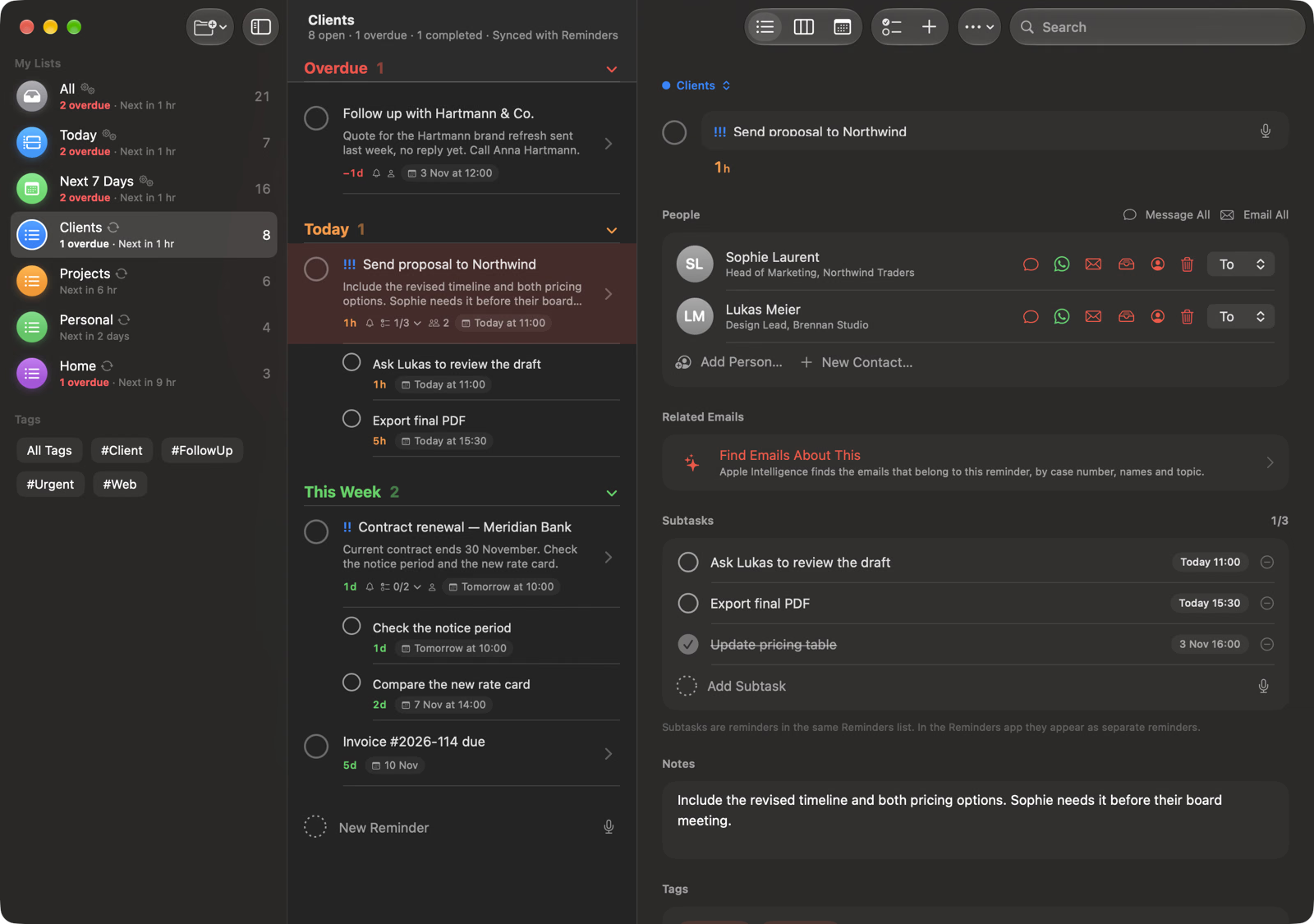
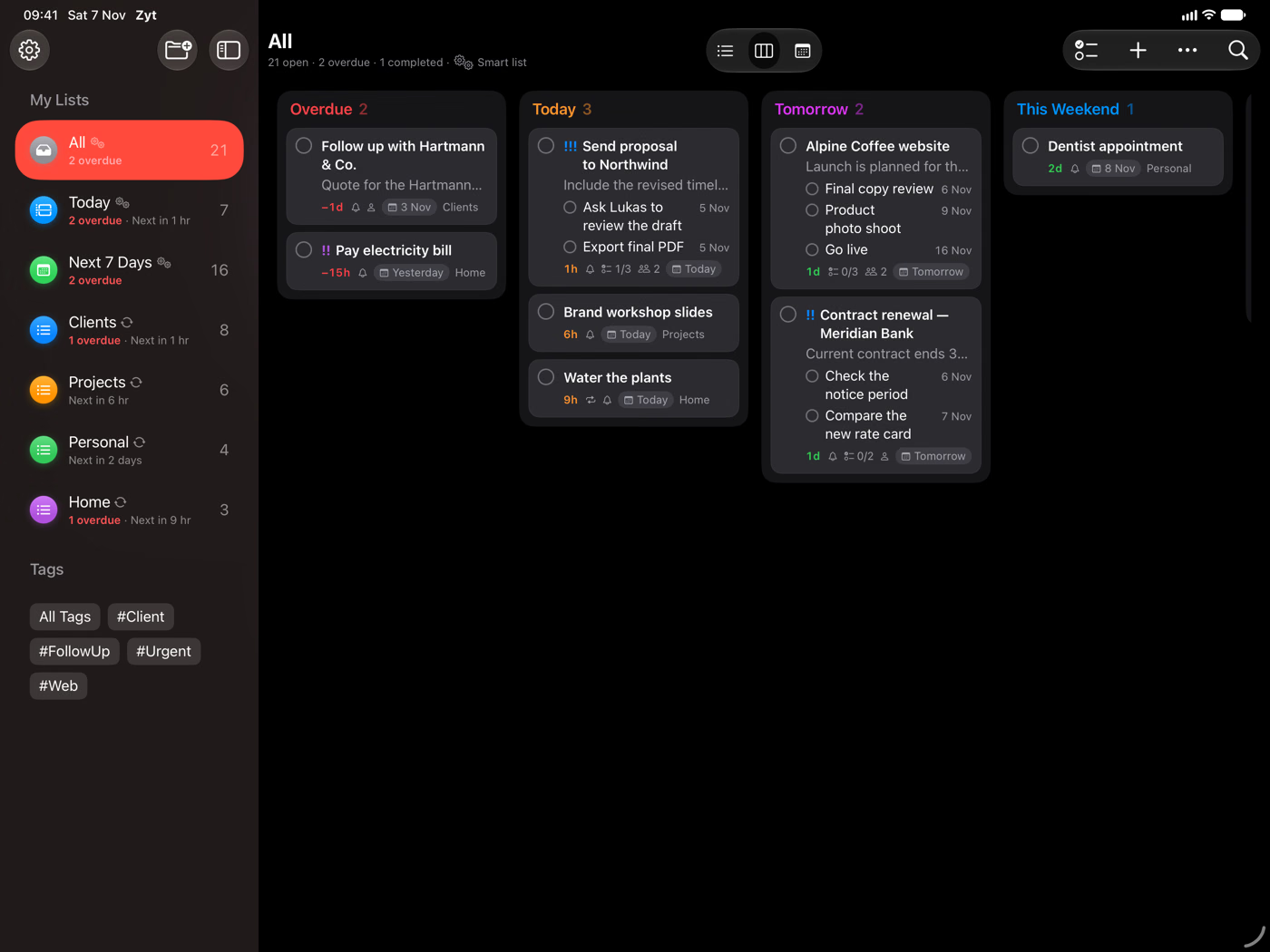
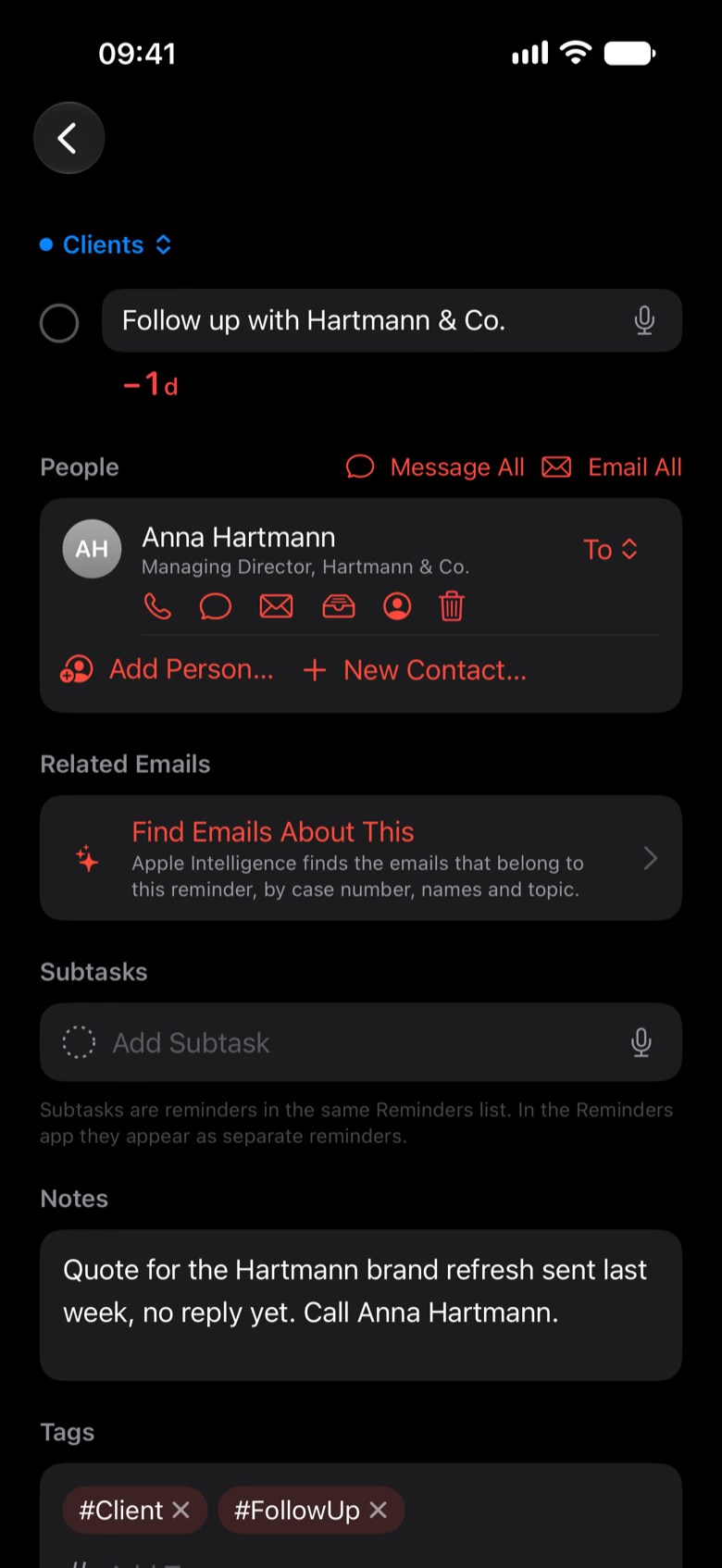
Light and dark, on every device.
Tue follows your system appearance.
Designed in Switzerland.
Tue is made in the Valais, in the tradition of Swiss graphic design: a strict grid, one typeface, one red, and nothing on the screen that does not help you decide what to do next.
- One grid
- One red
- Nothing superfluous
Closed, a phone. Open, a workspace.
Tue follows the fold. Closed, iPhone Duo gives you your lists in one hand. Open it, and lists and detail sit side by side, the way they do on iPad.
Nothing to set up. The same reminders, the same people and mail, laid out for the screen you are holding.
- Closed: the iPhone layout
- Open: sidebar, list and detail next to each other
- Switches as you fold and unfold
A calm start, a timely nudge.
Choose a time for your daily summary and see what's due before the day begins. Alerts before deadlines make sure nothing slips by.
Mark as Completed or Remind Me in 1 Hour, straight from the notification. Also on Apple Watch and Mac, without opening Tue.
Nothing new to trust. Nothing to migrate.
Tue works on top of Apple Reminders. Your lists sync both ways. If you stop using Tue tomorrow, your reminders are exactly where they have always been.
- Two-way sync with your existing Reminders lists
- Changes land in Reminders and sync via iCloud
- Your deadlines also appear in Apple Calendar, through Reminders
- No Tue account, no separate task database
Your data stays where it already is.
Tue doesn't ask you to hand your work to a new service. It uses what Apple already keeps for you.
- Tasks stay in Apple Reminders and iCloud
- People stay in Apple Contacts
- Mail is only read, never sent or changed
- AI runs on your device
We store nothing about you. Not even your purchase.
Tue has no servers that hold your data. Your reminders, contacts, calendar items and mail stay with Apple: on your devices and in your iCloud. Even the AI runs on the device itself. You buy through the App Store, so we never see your payment details. What isn't stored can't leak, be sold or get lost. That's how seriously we take your privacy.
- No reminders
- No contacts
- No calendar items
- No mail
- No purchase data
- AI on your device
For people who live by deadlines.
Lawyers with cases. Consultants with clients. Agencies and freelancers with projects. Managers with teams. If your day is made of deadlines and follow-ups, Tue shows you both in one place.
Free to use. Pro without limits.
Tue is free with no time limit: lists, countdowns, board, calendar and widgets. Every month you also get 5 email views and 5 uses of Apple Intelligence, plus 3 linked people and 1 smart list with your own rules. Tue Pro removes those limits and lets you plan in the calendar, with 2 weeks free. One subscription for iPhone, iPad and Mac.
Free
No subscription, no account
Free forever
Download free- All your Reminders lists and Tue's smart lists, with subtasks and tags
- Countdowns and notifications
- List, board and calendar view
- Every month: 5 email views and 5 uses of Apple Intelligence
- 3 linked people and 1 smart list with your own rules
- Widgets and iCloud sync
Monthly
Billed monthly
2 weeks of Pro free
Tue Pro: after the 2-week free trial, renews automatically at €5.00 per month until cancelled.
Try Pro free- Unlimited people, mail and Apple Intelligence
- Link as many people as you like: call, message or mail them
- All your mail with people and tasks: Apple Mail (Mac), Gmail, Outlook
- Summarise, translate and Find Emails About This, as often as you like
- Plan in the calendar: drag, resize and create
- As many smart lists with your own rules as you like
- Everything in Free, on iPhone, iPad and Mac
- Cancel anytime in your Apple Account settings
Yearly
Billed annually (about €4 a month)
2 weeks of Pro free
Tue Pro: after the 2-week free trial, renews automatically at €49.99 per year until cancelled.
Try Pro free- Unlimited people, mail and Apple Intelligence
- Link as many people as you like: call, message or mail them
- All your mail with people and tasks: Apple Mail (Mac), Gmail, Outlook
- Summarise, translate and Find Emails About This, as often as you like
- Plan in the calendar: drag, resize and create
- As many smart lists with your own rules as you like
- Everything in Free, on iPhone, iPad and Mac
- Cancel anytime in your Apple Account settings
Tue is free to download and use. Tue Pro is an optional auto-renewable subscription. Prices in euros; the App Store shows the price for your country. Payment is charged to your Apple Account when the free trial ends. The subscription renews automatically at the price shown unless auto-renewal is turned off at least 24 hours before the end of the trial or the current period. You can manage or cancel your subscription in your Apple Account settings. Any unused part of a free trial is forfeited when you purchase a subscription. The free trial is available once per Apple Account.